Stay in your editor.
Paste text into an enabled AI destination. The extension checks it on your device.
 Night’s Watch
Local analysis. Your decision.
Review sensitive details before pasting into AI tools. Night’s Watch suggests what to mask; you choose what stays.

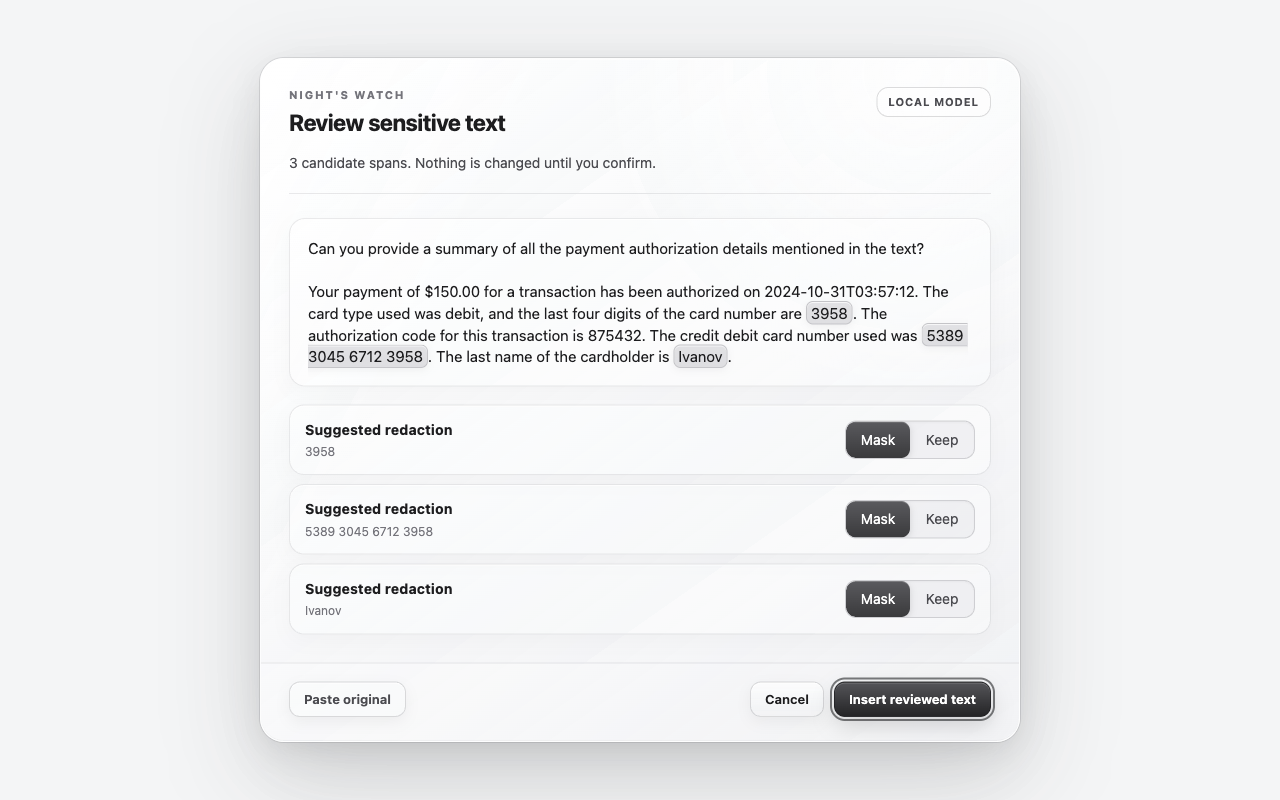
A check before you send
Paste text into an enabled AI destination. The extension checks it on your device.
When suggestions appear, choose Mask or Keep for each one. Keep the details the task needs.
Insert reviewed text, cancel, or paste the original. No detected masks means the text can continue unchanged.
The extension processes pasted text locally. It does not send it to a remote model or developer analytics.
Detection can miss private details or suggest removing useful context. A missing preview is not proof that text is safe.
A page can observe the original paste event. This is not protection from hostile sites. If analysis fails, the original paste continues unchanged.
Understand the limits
Night’s Watch helps you spot personal details you may not need to share. It can miss sensitive information or suggest removing useful context, so always review the text before sending it.
Want to look closer? Our technical reports explain how the model was tested and where it makes mistakes.
Select Add to Chrome, install the extension, then refresh your AI-tool tab. You’re ready to paste and review.
The extension targets desktop Chromium browsers and enables paste review on ChatGPT, Claude, Gemini, Lovable and Emergent destinations declared in its manifest. An enabled site is not proof that every editor works. See the support matrix and its verification limits.
Not for extension analysis. Once you insert or send text, the destination receives it under its own terms. A destination page may also observe the original paste event. Read the privacy policy.
The model may have found no masks, missed sensitive information, or failed to scan. Unsupported editors also bypass review. Check the text yourself; unchanged text is not a safety verdict. See troubleshooting.
Guaranteed detection, hostile destination pages, enterprise DLP, compliance certification, images, file uploads, OCR, Firefox, Safari and mobile browsers. Short prompts and unfamiliar formats can produce missed masks.
"Night gathers, and now my watch begins. I will review pasted text locally before it enters a trusted AI destination. I will show each detected span for your decision; I will not silently promise perfect detection, hostile-site protection, or enterprise compliance. I will collect no pasted text, sell no pasted text, and claim no protection beyond the evidence. I am the watcher at the paste boundary, for this night and all the nights to come."
~ Lord Commander Aaradhya Saxena, and Squire Saundarya Tyagi, Night's Watch